
Most dealers I speak to have the same problem sitting on the desk by Monday morning. The software looks tidy, the stock list is current, the CRM is busy, and the accounts are moving. Then a vehicle that looked like an easy win starts coughing up hidden finance, a mismatch on mileage, or a provenance issue that should never have reached the forecourt.
That's the core fault line in car dealer software UK discussions. One layer runs the business, the other decides whether the car is worth buying in the first place. Too many independents still buy as if those are the same thing.
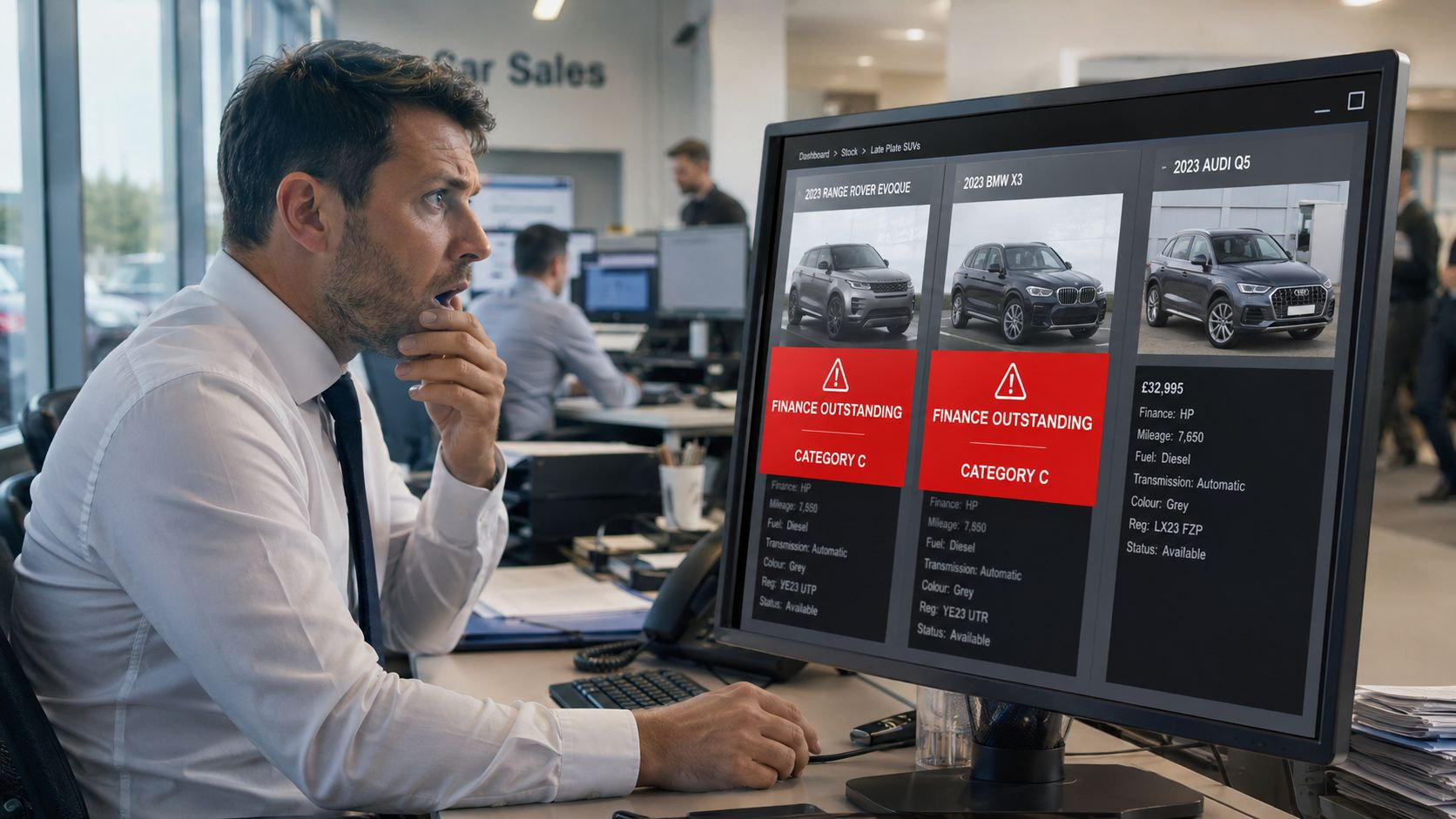
Table of Contents
- Why UK Dealers Are Rethinking Their Software Stack
- The Four Layers of Car Dealer Software UK Dealers Use
- 1. DMS
- 2. CRM
- 3. Stock management
- 4. Valuation and provenance
- Features That Matter in UK Dealer Software
- CRM features sales teams will use
- Stock tools that protect your listing quality
- Provenance features worth paying for
- MOT, DVLA and Compliance Data Inside Your Software
- What the data gives you
- What it doesn't give you
- Where Provenance and Risk Intelligence Fit In
- How to Evaluate and Shortlist UK Dealer Software Vendors
- Start with the deployment model
- Test the integration claims
- Separate vendor categories
- Implementation and Pricing for UK Car Dealer Software
- What the typical cost stack looks like
- A Practical Checklist for Choosing the Right Solution
Why UK Dealers Are Rethinking Their Software Stack
A dealer group buys three late-plate SUVs off a run, all look clean on the face of it, all sit under the expected buying figure, and the forecourt team is already imagining the margin. Then the paperwork turns ugly. Two units bring finance headaches, one carries a write-off marker, and the profit that looked solid at haggling stage disappears before prep is even booked.
That's not a software failure in the narrow sense. It's a decision-stack failure. Most dealer systems are built to record and process the transaction, not to interrogate whether the transaction should have happened at all.
Practical rule: if your software only tells you what you've already bought, it's administration. It isn't risk control.
The UK market has been building dealer software for decades. Pinewood was founded in 1981 after a London Renault dealer couldn't find a suitable system, and it grew from on-premise software into a cloud DMS in the 2000s, while Kalamazoo traces dealership software activity back to the 1960s through its work with Ford UK and the retail motor trade Pinewood about us. That history matters because this isn't a new category, it's a mature one. The problem now is that mature DMS platforms were designed for workflow first, not acquisition risk.
For independents, the pain is sharper. Stock is often bought faster, with thinner margin for error, and with more dependence on auctions and trade sources where provenance can be shallow. If you're relying on a vehicle history check only after the car is already in your system, you've already made the expensive decision.
A smarter stack separates workflow software from trade vehicle intelligence. One layer moves the car through accounts, prep, and sale. The other layer tells you whether the car deserves a place in the stockbook in the first place. For a plain-English view of how process automation supports that split, see process automation benefits.
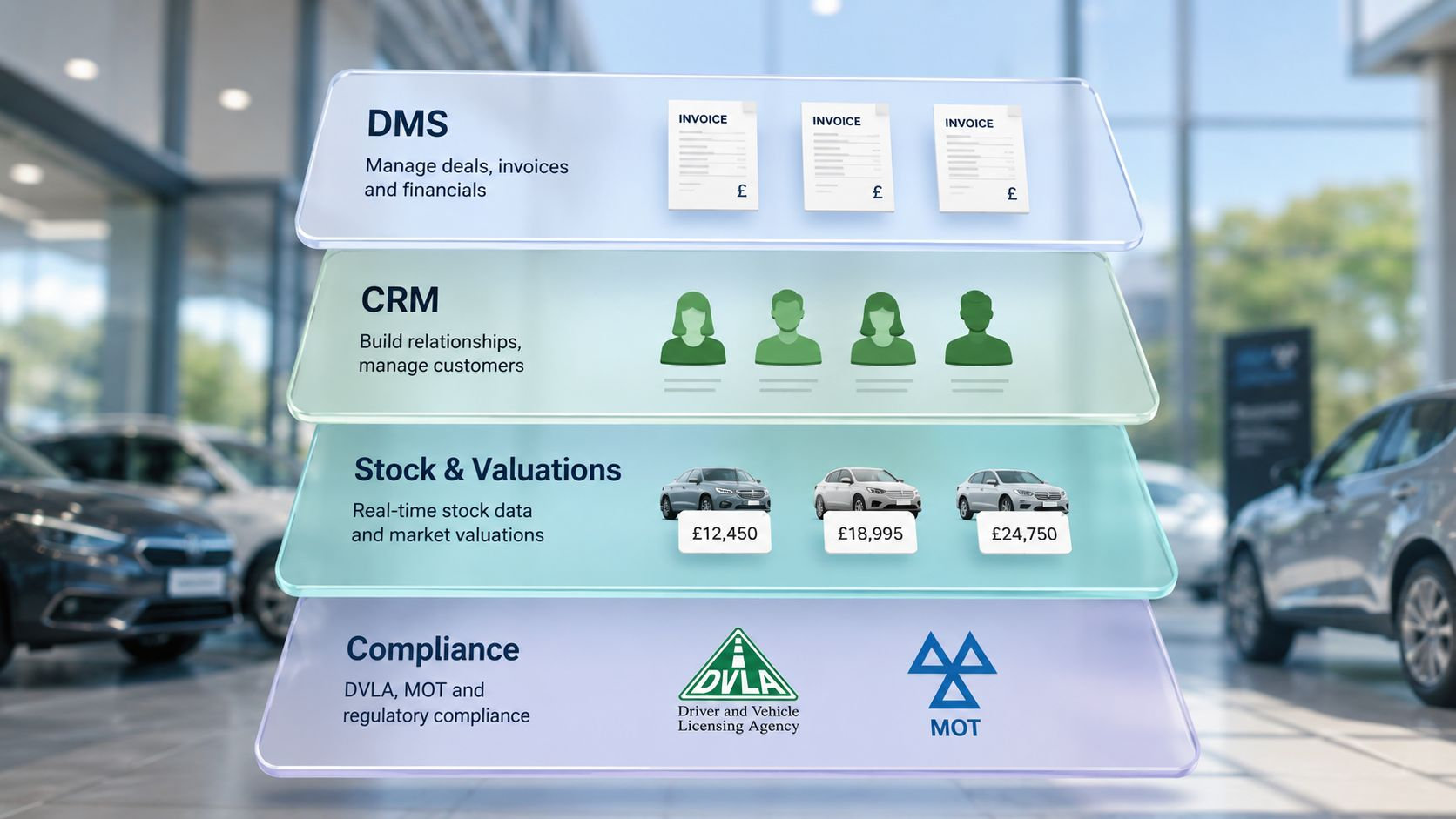
The Four Layers of Car Dealer Software UK Dealers Use
Most UK dealers don't run one platform, they run a patchwork. That's normal. The mistake is treating every part of that patchwork as if it has the same job.
1. DMS
The Dealer Management System is the backbone. It handles invoicing, accounts, workshop jobs, customer records, and the day-to-day admin that keeps the business moving. In a proper setup, it is the system of record for sales and service, not the place where you hope to discover stock risk after the purchase.
2. CRM
The dealer CRM sits around the customer journey. It manages enquiries, test drives, follow-ups, finance interest, and pipeline visibility. Good CRM keeps the sales team honest on response times and task completion. Bad CRM becomes another inbox nobody trusts.
3. Stock management
Stock tools control what's on the pitch, what's online, what's reserved, and what's sold. They also manage imagery, advert feeds, and marketplace sync. This layer matters because a forecourt car that isn't priced, photographed, and published properly is dead money.
4. Valuation and provenance
This is the layer many dealers underbuy. Valuation data helps with pricing. Provenance tools check whether the car is telling the truth. That includes finance markers, write-off status, mileage checks, identity issues, and other signals that should influence whether you buy, how much you offer, or whether you walk away.
The four layers overlap, but they're rarely sold as one clean package. That's why so many independents end up with integration gaps, duplicated data entry, and a false sense of coverage.
If you're comparing platforms, a good architecture explainer such as platform build and migration tech is useful because it shows how serious systems are assembled, not just marketed. For a dealer-specific view of integration thinking, the data integration platform guide helps frame the problem properly.
Features That Matter in UK Dealer Software
Vendors love long feature sheets. Dealers need software that moves cashflow, gross, and risk. Everything else is window dressing.
A good system starts with the desk. Supplier invoice matching, part-exchange settlement workflow, and clean accounts handling cut out the admin mistakes that eat margin. If the platform throws up polished dashboards but makes basic posting clunky, it is not helping the business.
CRM features sales teams will use
The CRM should reduce missed opportunities, not add noise. Response tracking, automated reminders tied to service and MOT touchpoints, and lead source attribution linked back to sold stock all matter. If your team cannot see which enquiry paths convert, the system is hiding more than it helps.
Stock tools that protect your listing quality
Stock control should keep the forecourt, website, and sales team aligned. Accurate VRM lookup, clean stock status handling, and proper multi-platform advert push stop bad data spreading across your channels. If the listing does not match the car on the pitch, customers notice and your team wastes time correcting it.
Provenance features worth paying for
Dealers often mix up workflow software and risk control. Valuation and stock tools help you run the business, but provenance tools check whether the car is worth buying in the first place.
Good provenance data shows write-off categories, finance encumbrance, mileage inconsistency, and identity risk with enough freshness to affect the decision. Anything weaker is just a prettier wrapper around old information. A clean interface matters too, because poor user interface usability kills adoption fast and slows the desk down.
Layer Features That Matter Features That Are Mostly Fluff DMS Invoice matching, part-exchange settlement, practical accounts workflow Fancy dashboards nobody opens twice CRM Response tracking, lead source attribution, reminder workflows Generic email blasts and vanity reports Stock VRM accuracy, advert feed sync, live status control Over-styled image tools without control Provenance Finance data, mileage checks, write-off depth, refresh speed Rebranded lookup screens with no extra judgement The point is simple. Off-the-shelf dealer software can run the operation, but it does not remove buying risk on its own. That only happens when the provenance layer is treated as separate from the workflow layer, not bundled into the same sales pitch.
MOT, DVLA and Compliance Data Inside Your Software
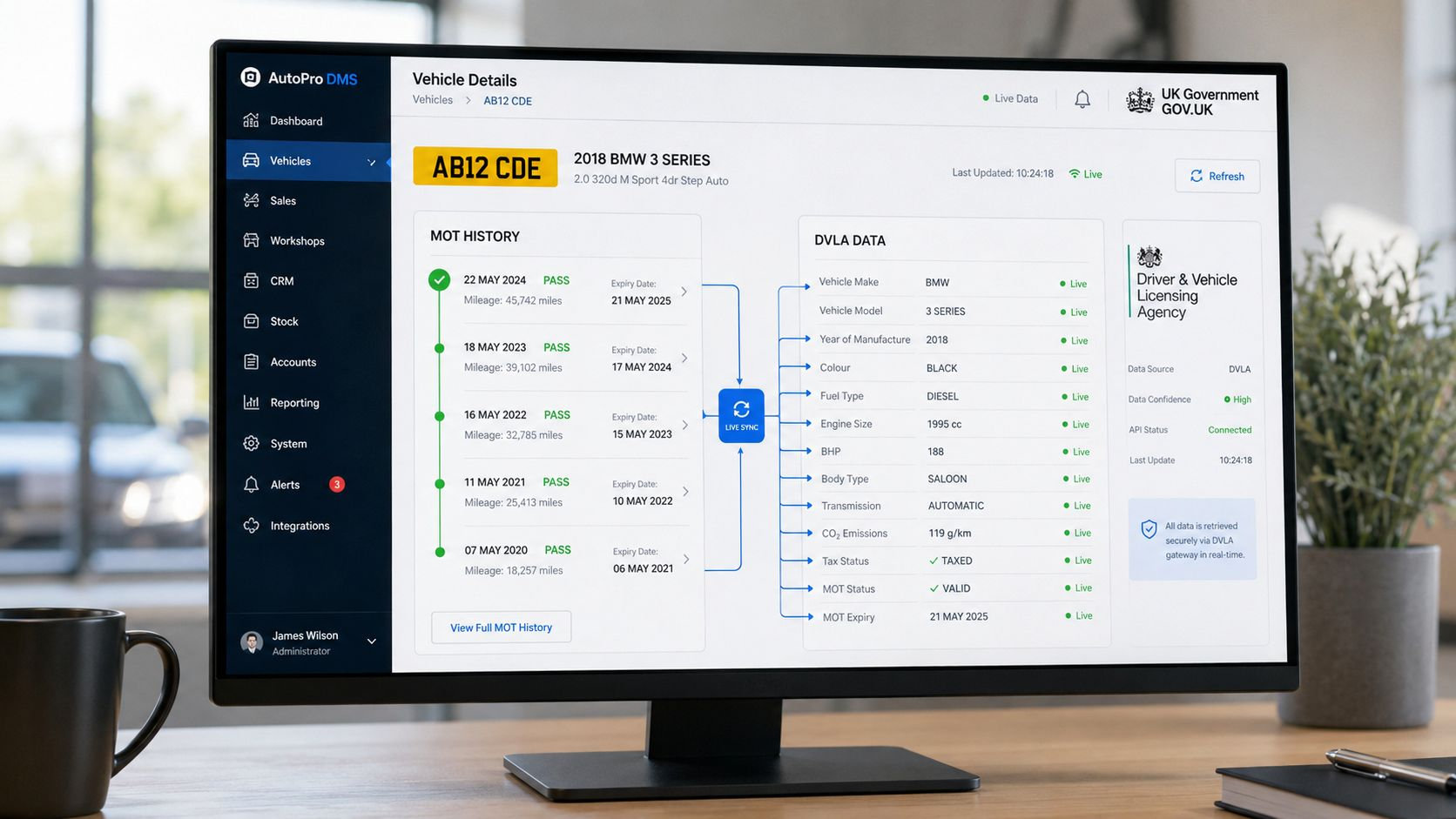
Dealer software only becomes useful with live data if the data is current enough to trust. The cleanest way to think about it is as a feed problem, not a feature problem.
The DVSA MOT history API uses a bulk-plus-delta model. It provides a complete weekly snapshot through the bulk file and daily delta files covering the previous 24 hours of test activity, with new files available from 8am DVSA MOT history API download guidance. That matters because a dealership can refresh overnight, keep mileage and test data moving, and avoid re-downloading the whole dataset every time.
The legal cut-off also matters. The government's MOT history service only covers cars, motorcycles and vans from 2005 onwards, and heavier classes such as HGVs, trailers, buses and coaches only from 2018 onwards Check MOT history. If your process treats MOT data as a complete provenance source, it isn't. It has a hard blind spot.
What the data gives you
MOT and DVLA-linked data can show serviceable, trade-useful signals. That includes mileage checkpoints, advisory history, failure patterns, keeper movement, and current vehicle status. DVLA also states that certain companies and buyers can request specialist vehicle data, including mileage data, to help check a vehicle's mileage DVLA data requests.
What it doesn't give you
It won't tell you everything you'd want to know about private inspections, unrecorded condition history, or gaps outside the available MOT window. The AA also notes that an MOT certificate can show the current mileage and up to three previous recorded mileages, and that mistakes have a 28-day correction window AA mileage correction guidance. That is exactly why point-of-purchase verification matters.
For dealers under compliance pressure, document handling matters as much as vehicle data. A good reference point for automated document validation helps teams think about checks, evidence, and retention inside the workflow rather than as an afterthought. For a deeper MOT-specific overview, the what is a MOT certificate guide is useful because it keeps the paperwork side grounded.
Where Provenance and Risk Intelligence Fit In
A lot of dealers blur the line and get burned. A DMS records the deal. Provenance and risk tools interrogate the deal before it exists. Those are not the same job.
Mainstream dealer software is good at workflow, stock movement, invoicing, and customer records. It is much weaker at spotting the things that stop bad stock entering the system in the first place. That's where vehicle history check UK tools and deeper vehicle provenance layers come in.
The gaps are familiar to anyone who buys seriously. You need visibility on write-off categorisation, finance encumbrance, clocked mileage, cloned or suspicious identity patterns, and VIN tampering. A single lookup that only gives you a pass or fail doesn't do enough when you're deciding whether to commit cash.
The right question isn't whether the car has a history report. The right question is whether the report tells you enough to stop buying a bad unit.
Trade-focused used car history report tools should do more than repeat obvious data. They should compare mileage checkpoints over time, flag contradictions, and show context around ownership patterns and risk signals. That is what makes them different from ordinary dealer vehicle checks.
AutoProv sits in that supporting layer as one example of trade-focused vehicle intelligence. It is built around mileage discrepancies, ownership-pattern risk, and provenance analysis at the point of decision, alongside the DMS rather than inside it. That distinction matters. The DMS keeps the business operating, while the risk layer keeps the wrong car out of stock.
If you want a tighter view of that decision framework, the vehicle risk assessment guide is the right place to start.
How to Evaluate and Shortlist UK Dealer Software Vendors
Don't let a polished demo hide weak fit. Shortlisting dealer software is mostly about asking awkward, practical questions and refusing vague answers.
Start with the deployment model
Ask whether the system is cloud, on-premise, or a hybrid. Cloud can simplify access across sites, but only if performance, support, and data ownership are clear. On-premise may suit some legacy operations, but it often drags more internal maintenance than the sales team expects.
Test the integration claims
If a vendor says it integrates with MOT or DVLA feeds, ask what flows, how often it refreshes, and whether the data is live or batch-based. Then ask the same thing about valuation, finance, and provenance sources. If the answer is hand-wavy, the integration probably is too.
Separate vendor categories
Vendor Category DMS Depth MOT/DVLA Integration Provenance Coverage Typical Support Model DMS-led vendor Deep on workflow and accounts Usually present, sometimes basic Often limited or bolt-on Account manager plus ticket support Automotive retail suite Mixed depth across stock, CRM, website, and admin Varies by module Varies, often not the core product Shared support team, onboarding-led Standalone intelligence provider Light on workflow, strong on risk signals Usually focused on vehicle data use cases Stronger on provenance and anomaly detection Specialist support, trade-focused A separate lens helps with supplier management too. For for HR and ops teams, vendor controls and onboarding discipline matter just as much as software features when you've got multiple sites and multiple owners making decisions.
When you demo provenance claims, be blunt. Ask which sources feed the check, whether finance data is sourced from major UK lenders or scraped, what the refresh cadence is, and how write-off categories are represented. Then ask how the vendor handles UK-wide fleets versus single-site independents. The right answer is usually precise, not theatrical.
Implementation and Pricing for UK Car Dealer Software
Implementation is where good intentions go to die if you rush it. The sensible route is phased, not heroic.
Start with data migration. Historic customer records, stock, notes, and user permissions all need cleaning before go-live. Then credential the MOT and DVLA access properly, because broken data access will wreck trust on day one. After that, switch sales, service, and accounts in stages rather than trying to flip the whole business in one afternoon.
Pricing is where dealers get caught out. Most vendors charge through a mix of per-user subscription, per-site licensing, per-vehicle stock fees, and bolt-on modules. The renewal pain usually comes from API call charges, training day rates, and integration fees when you connect a CRM to an older DMS.
What the typical cost stack looks like
Cost Component Typical Model What to Watch Core licence Per user or per site Minimum terms and renewal uplift Stock module Per vehicle or bundled Hidden fees for larger stockturn Integrations Setup plus ongoing support Charges for each feed or API use Training Day rate or fixed onboarding Extra cost for refresher sessions Migration One-off project fee Dirty data and scope creep Support Tiered service plan UK hours, response times, named contact For an independent or small group, the monthly cost often looks modest on the quote and much less modest after add-ons. Don't buy month one. Ask for a written three-year cost picture.
The other thing to pin down is the changeover burden. If the supplier can't explain how historic records move cleanly, how stock goes live in phases, and how the team is supported after launch, you're not buying a system. You're buying disruption.
A Practical Checklist for Choosing the Right Solution
Use this in the demo, not after the contract lands.

- DMS fit: Does the system handle invoices, accounts, workshop jobs, and stock without duplicate entry?
- CRM fit: Can the sales team track response times, follow-ups, and lead sources without switching screens constantly?
- Stock control: Can you update status, photos, pricing, and online feeds quickly from one place?
- Provenance depth: Which data sources feed the risk check, and what exactly do they cover?
- Refresh timing: Is the vehicle data live, daily, weekly, or effectively stale when you need it?
- MOT and DVLA access: Can the vendor show sample pulls and explain the credentials they use?
- Training plan: Who trains the team, how long does onboarding take, and what happens when staff change?
- Retention and exit: What happens to your data if you leave, and can you export it cleanly?
- Support model: Is support UK-based, and do you get a named contact or a generic queue?
- Module control: Can you switch off bundled extras, or are you paying for tools nobody uses?
Vague sourcing claims, no UK support hours, and bundled modules that can't be turned off are all red flags. So is any system that promises complete protection. That's not how dealer risk works.
If you want a trade-focused layer that sits alongside your DMS and helps you judge stock before it reaches the forecourt, visit AutoProv and see how its vehicle intelligence fits into the buying process. It's built for dealers who want stronger provenance context, cleaner acquisition decisions, and less guesswork before they commit capital.
Frequently Asked Questions
AI-Generated Content Notice
This article was created with the assistance of artificial intelligence technology. While we strive for accuracy, the information provided should be considered for general informational purposes only and should not be relied upon as professional automotive, legal, or financial advice. We recommend verifying any information with qualified professionals or official sources before making important decisions. AutoProv accepts no liability for any consequences resulting from the use of this information.
From our AI insights
- Navigating UK Dealer Software Regs: A 2024 Deep Dive
Explore 2024 UK dealer software regulations, focusing on compliance, features and strategic choices.
- Decoding Vehicle Build Sheets: A Trader's Guide
Master the art of decoding factory build sheets for precise vehicle insights.
- Integrating Vehicle Data: Mitigating Risks for UK Dealers
Explore how data integration platforms help UK dealers manage risk using DVLA, MOT, and provenance data.
Related Articles

Latest Innovations in UK Automotive Technology
Explore cutting-edge technology advancements in the UK car market and future trends.

Innovations in Automotive Tech: Benefits for UK Drivers
Explore the latest automotive technologies and their benefits for UK drivers, from EV advancements to smart safety features.

The Future of Automotive Technology in the UK
Explore how emerging automotive technologies are shaping the UK market, from electric vehicles to autonomous driving.
Published by AutoProv
Your trusted source for vehicle intelligence